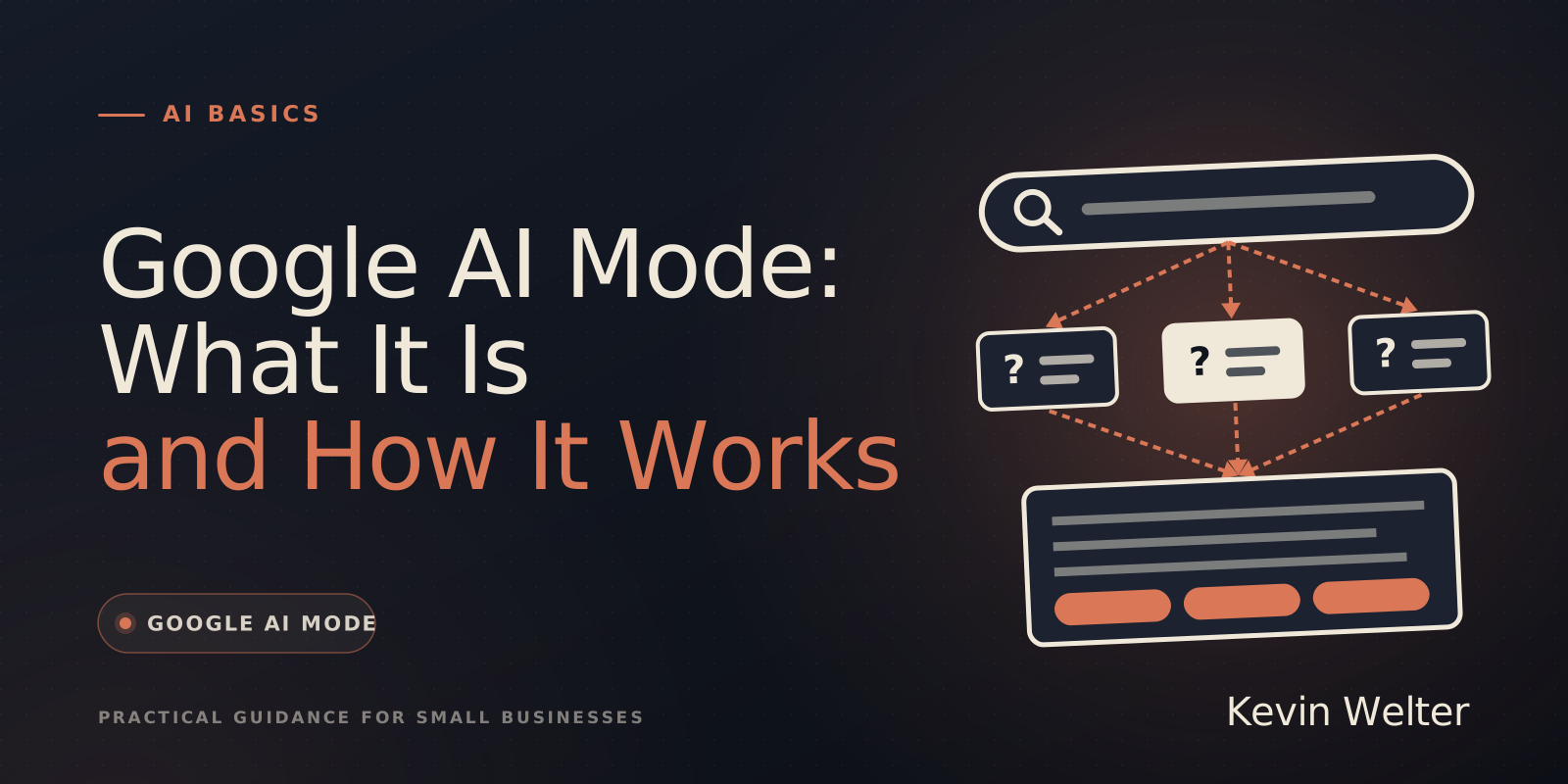
AI Mode is a separate area of Google Search where you ask questions in full sentences and get a written answer with links to the sources instead of a list of links. To do this, Google splits your question into sub-questions, searches for all of them at the same time and combines the results with a Gemini model. It launched in Germany, Austria and Switzerland on October 8, 2025, and according to Google's help centre it is now available in all EU countries, though some newer features are so far available only in English or in the US.
I follow the AI features of Google Search because I measure how often my own website appears there. My fourteen AI employees run on Claude Team, some also on open models or through the API. One of them, Sebastian, takes care of SEO and exactly these measurements. The information about AI Mode comes from Google itself: from Google's blog, the Google Search help centre and the documentation for website owners, sources as of November 4, 2026. The figures for my own website come from my Google Search Console. I collect more basics about AI at work on my AI Basics page.
What AI Mode is
Google calls AI Mode its "most powerful AI search experience". You ask a question, as long and as precise as you like, and get an answer you can follow up on directly. You can also ask by voice, upload images and files, or paste a web address.
Under the hood is a technique Google calls "query fan-out": your question is split into subtopics, a separate search runs for each one, and the results are put together into an easy-to-read answer. The answers are generated by a custom version of Google's Gemini models. According to Google, Gemini 3.5 Flash has been the default model in AI Mode since May 2026. There is also the stronger Gemini 4 Argon model, which you select from the menu in the input bar, with daily usage limits. For availability, Google's help centre lists two points: users in the countries on a country list, and Google AI Pro and Ultra subscribers aged 18 and over. Germany, Austria and the other EU countries are not on that country list so far; Switzerland and the UK are.
AI Mode and AI Overviews: the difference
Google has two AI features in Search that are often confused:
Since January 2026, according to Google, you can move straight from an AI Overview into AI Mode and continue with follow-up questions.
How to open it
According to Google there are three ways:
- Go to google.com/ai.
- Enter a question on google.com and tap AI Mode.
- Tap "AI Mode" on the home screen of the Google app.
Availability in Europe
Google launched AI Mode in Germany, Austria and Switzerland on October 8, 2025, as part of a rollout in 36 new languages and more than 40 additional countries. The country list in Google's help centre includes all 27 EU member states (as of November 4, 2026).
Not everything Google announces arrives everywhere at once:
Can you turn off AI Mode?
You do not need to turn off AI Mode; you simply do not open it. AI Overviews are different: according to Google they are a core feature of Search and cannot be switched off. After each search, however, you can choose the "Web" filter, and Google shows only links without an AI Overview.
Deleting history: In AI Mode, click "AI Mode history" on the left and delete individual searches, or delete the whole history with "Delete all". According to Google, entries may stay visible under "My Activity" for up to 24 hours. If you came into AI Mode from an AI Overview, you also have to delete the search from your Google Search history.
What to watch out for as a user
The answers can be wrong
Google itself writes that AI Mode "doesn’t always get it right" and may misinterpret web content or miss context. Google advises checking important information against several sources, clicking the linked sources and asking the same question in different ways. Why AI invents things in the first place is in AI Hallucinations: Why AI Makes Things Up.
Your searches help Google train
Google uses search queries and feedback to improve the AI features of Search, including review by humans. According to Google, reviewed data is disconnected from the account first. If you do not want that, turn off Search history under "My Activity". Google says it may still use aggregated and anonymised search data.
What AI Mode means for small businesses
For website owners, Google is clear: according to Search Central there are no additional requirements and no special optimisations for AI Mode and AI Overviews. A page can appear as a source if it is indexed and eligible to be shown in Search with a snippet, meaning a preview text. Google explicitly says you do not need new machine-readable files, AI text files or special schema markup.
What counts, according to Google, are the familiar basics:
- allow crawling in robots.txt and at your hosting provider
- make content findable through internal links
- offer important content as text, not only in images
- structured data that matches the visible text
- keep your Business Profile and Merchant Center up to date, in my view the most important point for local businesses
You can measure the effect in Google Search Console: according to Google, appearances in AI features count towards the Performance report under the "Web" search type. In June 2026 Google also announced dedicated reports for AI features and a setting that lets owners take their site out of these features, starting as a test with a subset of website owners in the UK. According to Google, both have been available to all websites worldwide since August 31, 2026.
My Search Console shows the AI features report too. For kevinwelter.com it looks like this: in the three months from August 2 to November 1, 2026, just over 18 percent of all my impressions in Google web search came from generative AI features such as AI Overviews and AI Mode, about 299,000 out of 1.64 million. The report shows the first impression on August 6, 2026. In the week from October 26 to November 1 alone there were just over 100,000. It does not show how many of them led to clicks. (Source: my own Google Search Console, generative AI features report, Web search type, as of November 3, 2026)
For trades, practices and shops there is a second point: In English, Google already lets AI Mode check prices, free appointments and stock at local businesses and, if the information is missing online, even call them. Google's help centre does not mention a German version so far (as of November 4, 2026). A good reason to keep prices, opening hours and services complete on your own website and in your Business Profile now. What you can do on your website specifically is in Optimizing Your Website for AI Search.
An everyday example
A made-up but typical example: a bike shop owner wonders why customers on the phone quote outdated prices. The owner asks AI Mode himself for "bike service price" in his town and sees that the answer quotes an old price list from his website. He updates the page and his Business Profile. Whether and when AI Mode picks up the new information he cannot control; Google crawls pages at its own pace.
Frequently asked questions
What is Google AI Mode?
A separate area of Google Search where you ask questions in full sentences and get an AI answer with links to the sources. Google splits the question into sub-questions and combines the results with a Gemini model.
Is AI Mode available in Europe?
Yes. It launched in Germany, Austria and Switzerland on October 8, 2025, and according to Google's country list it is now available in all EU countries. Some newer features are so far available only in English or in the US.
How do I turn off AI Mode?
You cannot, and you do not need to: you only use it when you open it. AI Overviews in the normal results cannot be switched off according to Google, but with the "Web" filter you see links only.
Do I need to rebuild my website for AI Mode?
According to Google, no: there are no additional requirements, and the familiar SEO basics still apply. For local businesses, an up-to-date Business Profile is what matters most. Nobody can promise you rankings or mentions, including me.
Where to go from here
Try AI Mode today with a question from your field and check whether its sources are right. Before that, it helps to know how to spot AI-written text. If your team uses AI day to day, the next step is an AI policy for your business. Look up technical terms in AI Terminology: A Plain-English Glossary. How other freelancers deal with AI search is something we discuss in my community AI Employee Framework.