25
Assignment folders since July 2026
My AI employee
Eddi has been running in my business since July 20, 2026, and is a package: he joins as his own employee with his own folder inside the content course's expansion module.
I give Eddi raw footage and a script. He delivers a finished, technically checked video: pauses cut, subtitles added, overlays set, 9:16 format, black-frame check passed. If you're looking for an AI that invents a video on its own, you're looking for the wrong thing: Eddi cuts real footage, he doesn't shoot it.
25
Assignment folders since July 2026
20
Interview videos in one project
Local Whisper
Transcription on the operator's own computer
Real work sample · 40 seconds
No need to take the copy on trust: all three excerpts come from the same reel and show the hook, subtitles and graphic inserts. Play the highlighted excerpt directly with sound.
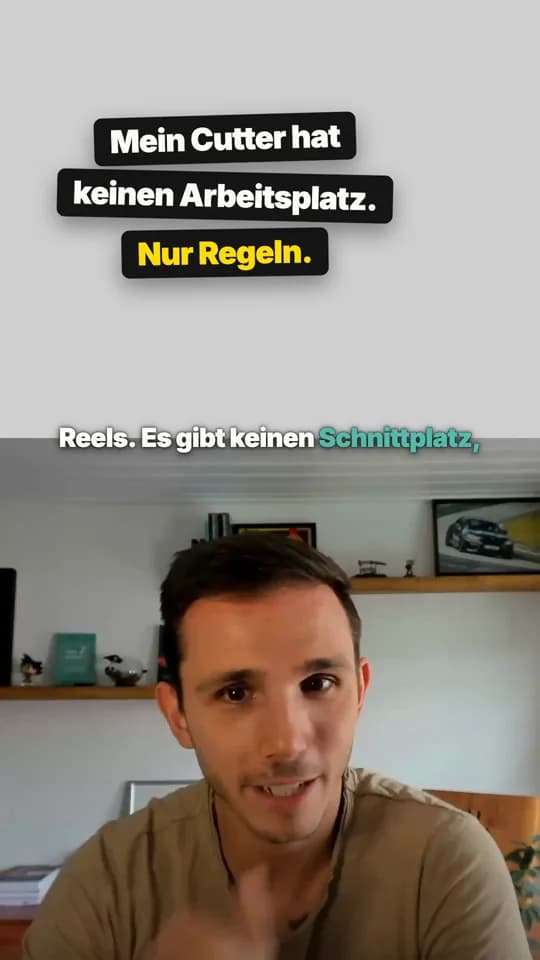
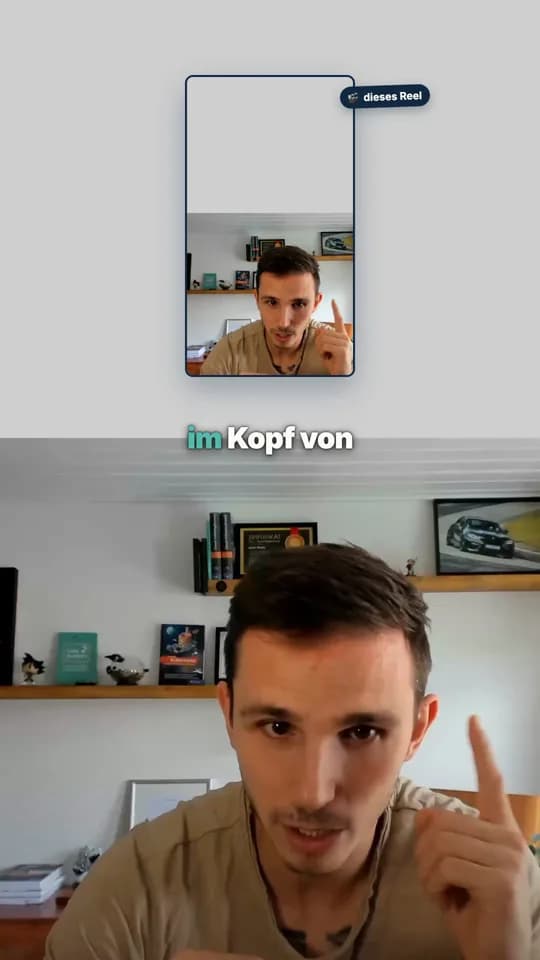
Work sample from Kevin's employee reel "My editor has no desk. Only rules." · Editing, subtitles and graphics: Eddi.
AI video editor
Numbers from my own editing assignments in August and September 2026.
25
Assignment folders since July 2026
20
Interview videos in one project
5
Split-screen reels in one evening
One single assignment shows the scale: 20 interview videos from a client project, cut from just over 66 minutes of raw footage down to nearly 49 minutes of finished edit, each video with its own subtitled version on top. On another evening, Eddi cut five split-screen reels for the employee series and re-cut them the same evening after my review notes.
The part that carries this page isn't the volume, it's the check routine behind it: an automatic black-frame scan after every encode, a double transcript comparison after every cut, a look at test stills before every full render. For every raw file, Eddi records resolution, duration and a checksum before touching anything. That routine isn't busywork, it's the answer to a real complaint: an earlier black-frame delivery is why the scan has been built in permanently ever since.
Eddi for your business
Eddi is not limited to my employee reels. You give him your raw footage, target format, visual style and a clear technical acceptance process.
How I use him
Eddi removes pauses, adds subtitles and overlays, renders in the target format and checks the result automatically for black frames and transcript mismatches.
Adapted to you
You define length, aspect ratio, subtitle style, intro, outro, overlays and quality rules. Eddi turns them into a repeatable editing assignment.
What you change
Other possible uses
The process stays: Inventory source files, edit only real footage, review before the full render and verify every output technically and editorially.
His own employee folder in my community names the same tools that run for me:
ffmpeg and a locally running Whisper model for editing and transcription, entirely from the command line, no editing app, no mouse.
Remotion for reel rendering, meaning programmed rather than manually dragged transitions and overlays.
A scheduling tool for planning only; uploading still only happens after my approval.
He doesn't shoot footage himself. Without raw material, there's no video.
He works exclusively from the command line, never in an editing app with a mouse.
He never overwrites raw footage.
AI image generations cost money; larger batches only run with my approval.
Posting and uploading is my gate. He may only run the scheduling scripts after approval.
Standard
$5a month
Learn the structure, rules and approval gates, then adapt Eddi to your own business.
Premium
Ready-made template$149a month
Eddi is available as a ready-made template that can be hired independently in the community. He complements Conny in the content team, but you can also load him independently with his own employee folder.
As of October 29, 2026
Yes, if raw footage exists. Eddi cuts out pauses and false starts, adds subtitles and overlays, and technically checks the result before it's approved.
Eddi runs on my Claude subscription, plus the cost of occasional AI image generations. There's no per-minute price like with an external editing service.
The tools underneath, ffmpeg and a local Whisper model, are free software. The actual work Eddi contributes is the management around it: briefing, the check routine and approval.
Yes, that's one of his standard steps: a locally running transcription model generates the subtitles, a double comparison checks them against the script before they're placed on screen.
A generator produces footage from a prompt, with no real source material. Eddi edits real raw footage that I actually shot. Both get called "AI video", but only one of the two delivers a work result that actually happened.
Eddi's template is in the community as an expansion to Conny, with the same check routine as in my real business.
Join the communitySeptember 18, 2026 · 21 min read
Six routes to AI images compared: text inside the image, prompt language, editing, resolution, and whether the tenth picture still matches the first.
Read the article: AI Image Generation ComparedSeptember 19, 2026 · 14 min read
Free of charge is not the same as free to use. Which AI image tools have a free tier, what they limit, and what their terms say about using the result.
Read the article: Creating AI Images: Free and Free to UseSeptember 20, 2026 · 14 min read
Seven AI video editing tools compared: what the AI actually takes over, how well German works, what each one costs, and where every one of them stops.
Read the article: AI Video Editing Software ComparedAlso:Auto-Generate Subtitles: A Guide·Subtitle Tools for Reels Compared·AI Video Generator vs. AI Video Editing·How AI Edits Your Video: A Guide·Hiring a Video Editor: Process, Pricing·Learn Video Editing: Courses and Books·Learn Claude: The Path in Five Stages·Hiring an AI Employee: The Process·Which Tasks You Can Hand Off to AI·AI Agents: 10 Real-World Examples·My AI Workforce: Fourteen Employees, One Boss·Hire your first AI employee·Conny: she writes the script Eddi cuts·Back to the org chart