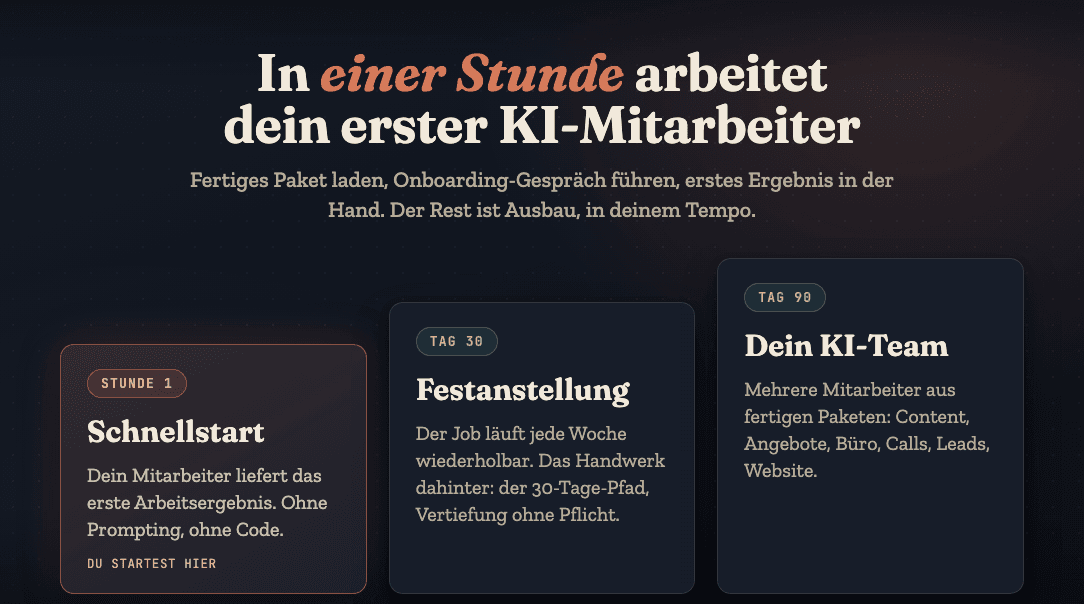
You hire an AI employee the way you'd hire a human: you think through the job, run an onboarding interview, give it a trial task, and make it a permanent hire once it delivers. The whole process works right in the Claude app, without a single line of code. You'll hold the first piece of finished work after about an hour.
Here's the complete process, exactly as I run it myself for every new employee.
Step 1: Pick the right task
The most common mistake happens before the first prompt: the wrong task. Not every task is a good fit for your first AI employee.
A good first task meets three criteria:
- It repeats. Proposals every week, sorting the inbox every week, content every week. One-off tasks aren't worth the setup.
- You can judge the result in minutes. You can tell at a glance whether a proposal draft works. That makes feedback fast and the onboarding short.
- It costs you real time. Pick something that annoys you, say the pile of receipts, part of which AI in bookkeeping takes over today. The motivation to stick with it comes from the relief.
Bad choices for the start: anything that requires judgment about people, anything legally sensitive, or anything where you don't have a clear process yourself yet. An AI can't invent your process. It can take it over.
Step 2: Create the personnel file
The personnel file is the heart of the whole thing and the reason an AI employee is something other than a chat. It holds everything your employee needs to know for the job:
- What the job is, and what is explicitly not the job
- Your business: services, target audience, pricing logic, typical cases
- Your voice: real examples you wrote, phrases you would never use
- Its rules: what it can do on its own, what it always submits for your approval
You don't have to write the file perfectly up front. A good employee fetches missing knowledge on its own, and that's exactly what the next step is for.
Step 3: Run the onboarding interview
Here's how you start: you give your employee its role and let it ask the questions. Not the other way around. A well-briefed AI employee asks you what it needs to know about your business before it gets going: Who are your clients? What do you sound like? What was the last proposal you wrote?
Your answers go into the personnel file. That's the moment a generic model becomes your employee. And it's why getting started is so fast: you're answering questions about your own business. You can do that without any preparation.
Step 4: The trial task
Now you let it work, on a real case. Not a test example, but the proposal that has to go out this week anyway. What makes a quote convincing is your yardstick when proofreading it.
The first result won't be perfect. That's normal, and it's actually the point of the trial task. What matters is what you do now: you don't fix it yourself, you give feedback. "The price is missing", "too formal, I write more casually", "cut paragraph 2". Every correction goes into the personnel file and applies permanently from then on.
After three to five rounds, you'll notice the cleanup work drop toward zero. That's the onboarding, and it only works because the knowledge lands in the file instead of in your head.
Step 5: Permanent hire
Your employee is a permanent hire when the job runs repeatably every week: you feed in the case, it delivers the result, you approve. And by the way, approval stays with you permanently. The point isn't handing off responsibility. It's handing off work.
From here, you have two directions to grow:
- Deeper: the employee takes over more of its territory. "Writing proposals" becomes "analyze the inquiry, build the proposal, prep the follow-up". When and how often to follow up on a quote by email then goes into its file.
- Wider: the second employee. Once you've been through the process, you'll hire the second one much faster. That's how, piece by piece, an AI team comes together.
The fastest way to start
You can work all of this out yourself. Or you can start with a ready-made package: in my community, Claude Practitioners, there are ready-to-use AI employees you can load, from a proposal employee to a content editor-in-chief. Load the package, run the onboarding interview, hold your first result. After that, you go deeper at your own pace, including a 30-day path to permanent hire.
What exactly an AI employee is and how it differs from agents and chatbots is here: What is an AI employee? You'll find the overview with all the common questions on the Hiring an AI employee page. And if the Claude basics are still missing, Learn Claude: The Path in Five Stages fills that gap first.
Your first AI employee up and running within an hour
Join the community