Dreading the Monday inbox? Sonja in a demo
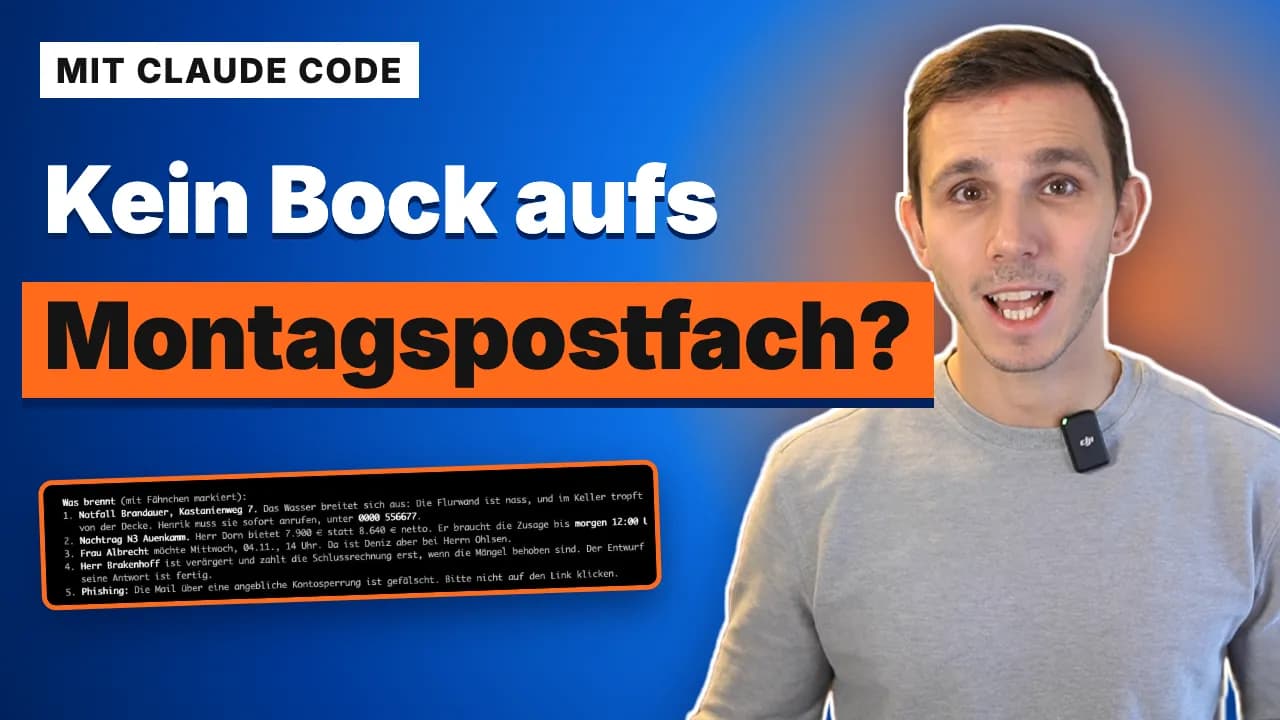
Clicking loads the YouTube (Google) player. Your browser then sends data such as your IP address to Google, and YouTube may set cookies. More in the privacy policy (section 4.11, in German).
Watch on YouTubeMonday morning, 25 emails, and the colleague who usually handles them has the day off. Sonja, my AI employee, takes over the office inbox of a trades business.
She reads every email, flags what is urgent, spots a fake bank email and saves every reply as a draft. Only the email I approved goes out. Then she checks tasks and appointments and writes the boss a one-page overview.
In the demo Sonja handles a whole Monday morning, from sorting to approval; in my business she shares that with Frieda. Sonja works the same way with Outlook and other email programs.
- Length
- 6:42 min
- Language
- German
- Published
- November 10, 2026
- In the video
- Sonja, Office and assistance
Chapters
- 0:00Dreading the Monday inbox
- 0:24What Sonja can do
- 1:07Tropfwerk's inbox
- 1:31One sentence to Sonja
- 1:45Sonja reviews 25 emails
- 2:06What's urgent
- 2:43Everything as a draft
- 3:33The approval
- 4:12Tasks and appointments
- 4:51One page for Henrik
- 5:34What came out in the end
- 5:51Conclusion
Transcript (English translation)
0:00Dreading the Monday inbox
You're dreading the Monday morning inbox. Monday morning, 25 emails piled up, and you have no idea at all what's coming up, because the woman who usually takes care of it has the day off. By hand that's easily two hours. My AI employee Sonja does it in a good half hour, and it takes no effort at all on your part: you can just watch what she does, or you do something else in the meantime.
0:24What Sonja can do
Sonja is an AI employee, trained by me and available in my community. She can read inboxes, work through emails and figure out what's urgent and what's important. She can inform people, she can send out quotes, she can follow up on quotes. Everything you train her on in office communication, she can do. And you don't train her by writing code, but simply by having a perfectly normal onboarding conversation. Sonja runs on Claude Code, but could also run on ChatGPT. And in the end she's a single folder on your computer where she remembers absolutely everything, from the language you speak to how she should deal with customers, what she may do and what she may not. And once you've set it up, it costs you no more than a small Claude subscription.
1:07Tropfwerk's inbox
The demo company I'm using to show you all this is Tropfwerk. They do plumbing, heating and emergency call-outs in Quellbruck. Henrik is the boss, and Lea handles all the quotes, email, inbox and phone. Deniz and Paul are out working at customers' sites. A perfectly normal trades business, with one difference: it doesn't actually exist. What you see here is a terminal with Claude Code on the left and a demo version of Poststeg on the right.
1:31One sentence to Sonja
Good morning, Sonja. It's quarter past eight. Lea has the day off today. Please go through Tropfwerk's office inbox and tell me first what's urgent. You're allowed to set flags in Poststeg. Go ahead, please.
2:06What's urgent
And Sonja is already done. We can look at everything she marked as important and urgent. The most important seems to be Brandauer, because there's water damage that has to be dealt with right away. Henrik should call there, we'll tell Henrik in a moment, so that Sonja can prepare this email and send it out too. She also spotted, for example, that there's a phishing email that we'd best just delete. And several appointment requests and even a quote, or rather Mr Dorn wrote that he apparently doesn't accept the 8,640 euros and simply wants to pay less. We have to check that too and make sure it's done by tomorrow.
2:43Everything as a draft
Henrik will call Mrs Brandauer in a moment. You can go ahead and prepare all the drafts in the drafts folder, so we can look at them in a moment and then send them. Because what matters to me, especially when you're starting out with Sonja, is that we don't let Sonja reply directly right away, but first look at the quality of Sonja's work. Of course I've trained her here to write the right things, but it's always a process. And here it will work like this: she'll save the email as a draft. You no longer have to type the email. That alone saves a lot of time. We check once and then we send.
3:33The approval
And now let's look at what she wrote. First the important email to Mrs Brandauer. The email looks fine, which means we can definitely approve it here. You can send the email to Mrs Brandauer now. What's also important to me is that you take another look at which tasks Henrik has, take care of them too, and check again against these appointments whether everything fits or whether we need to follow up somewhere.
4:12Tasks and appointments
What's really cool here is that Sonja gives me a very good overview of what's open, what I can take care of, where Henrik has to do something or ask again or make a call, what Deniz should do, what the sequence is. That means even if I have no idea at all what my colleague did before, Sonja is able to find out from the inbox: what still needs doing here?
4:51One page for Henrik
What we want to do now, to wrap things up, is give Henrik an overview of the things that need doing. Thanks for the overview. Make Henrik an overview page that I can simply send him. And there's already an email for Henrik in the inbox that we can look at. It has more or less everything he needs to do. A pretty good overview: Deniz's appointments, which decisions have to be made, what should happen right away today, and Sonja pulled all of that out of the inbox. And I could simply send him this overview now.
5:51Conclusion
I think the demo shows quite clearly what's possible and how fast it works. Because while Sonja reads 25 emails, creates drafts and works out from notes what needs doing at all, what's urgent, what matters right now, and whom in the company we have to tell what to do, you can do something else in the meantime. And even if you just watch Sonja, within a few minutes you're a lot wiser than before. And it gets really exciting when you combine all the AI employees. Because Sonja could now send invoices straight to Peter, my bookkeeper. I made a video about Peter that you're welcome to watch afterwards. If the topic interests you and you'd like to bring a Sonja into your business too, you'll find the link to my community and to my website in the show notes, where you'll find more information, and in the community I'll help you set up Sonja for yourself.