Building is free, running it permanently rarely is. Three routes genuinely work without money, and for each of them the limit is written on the provider's own pages. First, a website builder's free tier: Jimdo lists its Free plan at 0 euros a month with five subpages, 5 GB of storage and an address under .jimdosite.com, and marks "ad-free", "connect your own domain" and "advanced SEO settings" as excluded from that tier in the same comparison table. Second, AI generators with a free tier: Lovable lists Free at 0 euros with free credits and five lovable.app domains, while custom domains and removing the Lovable badge start with the Pro plan at 25 euros a month. Third, free hosting for a finished static site: Netlify advertises its free tier as "$0 forever" and explicitly includes custom domains, Cloudflare Pages publishes quotas rather than a price for its Free tier. GitHub Pages will carry a site too, but its own limits documentation states the service is "not intended for or allowed to be used as a free web-hosting service to run your online business", and Vercel's Hobby plan is documented as restricted "to non-commercial, personal use only". What is left is the address: your own domain is the one expense with no sensible substitute. All figures come from the providers' product, pricing and documentation pages, retrieved on 19 and 20 September 2026.
I do not run my own pages in a builder. An AI employee builds them as source code I own. I still think the free routes are right when they fit the situation, and I say below who they fit. I worked through the same zero-budget question for AI agents in Build an AI Agent for Free. I am not repeating the price tables here: builder plans and promotional pricing are in Website Builders Compared, generator lock-in and exit routes in AI Website Generators Compared, and the full cost calculation in What Does a Website or Landing Page Cost?. This piece answers one question only: what really costs nothing, and where does it stop?
Building and running are two different questions
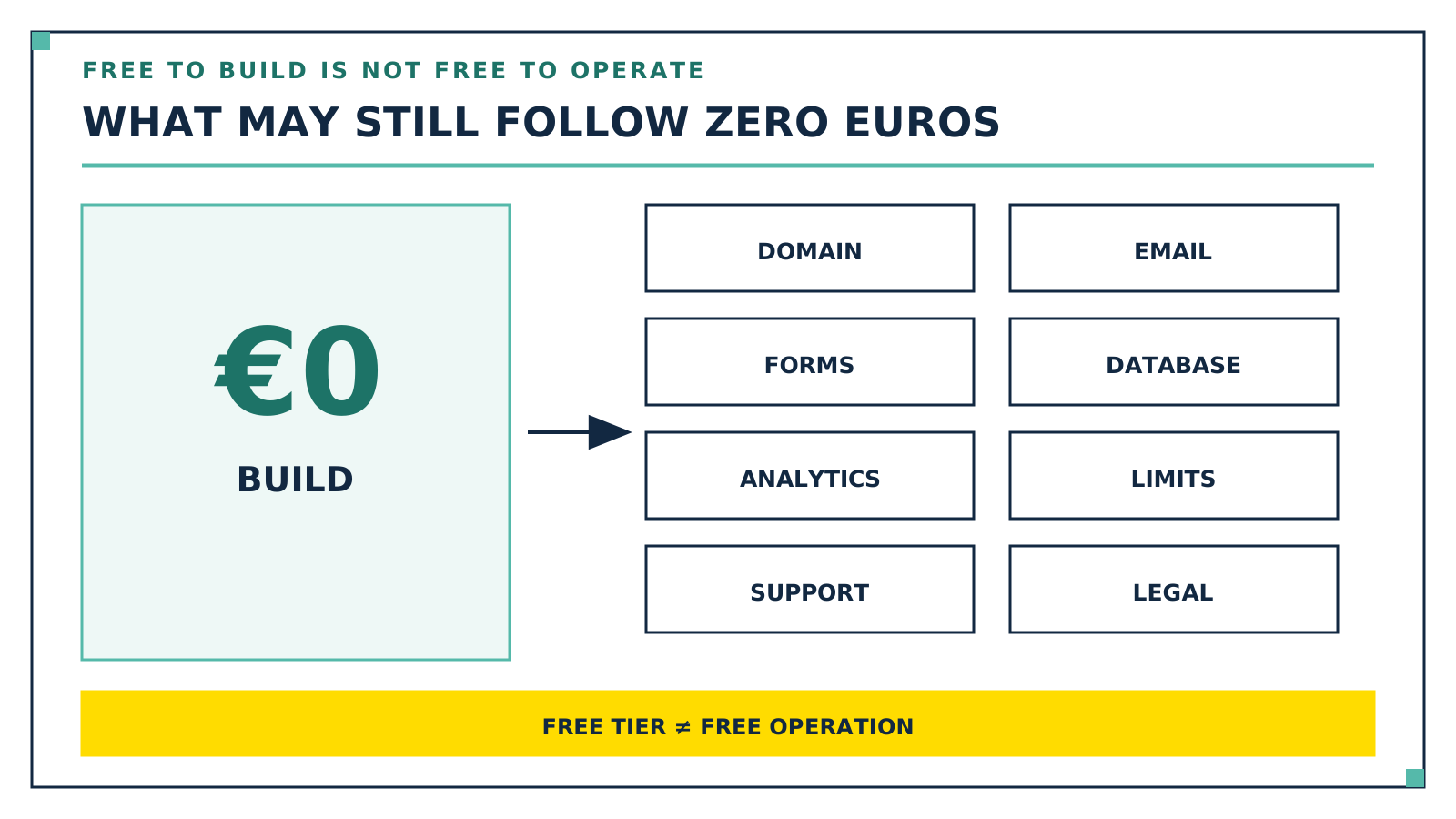
Building is the part that has become free: templates, editors and AI assistants are all available in the free tiers. Running the site is where the bill appears, at four points: a permanent address, freedom from provider ads, a mailbox on your own domain, and the number of subpages. That is exactly where providers draw the free line.
Route
Free on an ongoing basis
Where it stops
Builder free tier
Editor, templates, hosting, provider address
Provider address, provider ads, few subpages
AI generator free tier
Building by chat, limited credits, project address
Provider address, badge, credit quota
Free static hosting
Running the finished site, custom domain possible
You build it yourself, and some terms exclude business use
A free build does not automatically cover the domain, operation and legal duties. Graphic: Kevin Welter
Route 1: a website builder's free tier
Jimdo is the clearest example here, because the provider puts its free line into a table. The Free plan costs 0 euros a month and includes a contact form, mobile optimisation, the photo library, five subpages, 5 GB of storage, one smart form and an address under .jimdosite.com. Marked as excluded in that same table: "ad-free", "connect your own domain", "connect an email address", "advanced SEO settings" and visitor statistics. The domain line is the important one, because it answers the "free with my own domain" search for this provider with a no: the own address starts with Jimdo's Start plan at 12 euros a month, as of September 2026.
Not every builder has a permanent free tier at all. IONOS lists a demo plan at 0 euros on its builder page but describes it in its own FAQ as a seven-day trial: "The demo plan ends automatically once the trial period expires." That is a test run, not an operating mode. Wix, in turn, lists "own domain" and "no Wix.com branding on the website" among the features included in all premium plans, which describes the same dividing line: address and freedom from branding sit behind the paywall.
Route 2: AI generators with a free tier
The pattern is almost identical with AI generators, except that a credit quota takes the place of a subpage count. Lovable lists a Free plan at 0 euros a month, no credit card, with free credits, private projects in the workspace, unlimited collaborators and five lovable.app domains. The Pro plan at 25 euros a month including VAT then adds "custom domains", "unlimited lovable.app domains" and "remove the Lovable badge", as of September 2026. So a chat will get you to a finished page for nothing, just not to your own address.
The second difference is the exit, and that decides whether a free tier is a dead end. Generators that hand you source code can be combined with route 3: build for free, download the code, run it somewhere else. Generators that keep the site inside their own builder do not allow that. Which provider belongs to which group, and what the vendors themselves write about export, is in AI Website Generators Compared.
Route 3: free hosting for a simple static site
This is the route closest to a real website: you have a finished static site as files, and a hosting service delivers it for free. Cloudflare Pages lists 500 builds a month for the Free tier, up to 20,000 files per site, a maximum of 25 MiB per file and up to 100 custom domains per project. Netlify advertises its Free tier as "$0 forever", with a limit of 300 credits a month and explicitly "Add Custom domains with SSL". Both allow your own address. Forms, email delivery, databases, analytics, support or higher quotas can still create separate costs.
Two widely used services carry a clear restriction: GitHub Pages is not intended as free hosting for an online business, and Vercel Hobby is for personal, non-commercial use only. For Cloudflare Pages and Netlify, the pricing and limits pages establish the free tier and custom domain, but do not by themselves establish that every business use is permitted. Before putting a company site there, check the current terms, fair-use rules and your exact feature set.
The catch with route 3 is not the money, it is the work: there is no builder editor in which you quickly change the opening-hours block on a Sunday evening. In exchange the result is yours, and you can move it to another provider.
"Without signing up" and "with Google": what actually works
Creating a website without signing up: building yes, publishing no. You can write an HTML file in any text editor without creating an account anywhere, and open it locally in your browser. The moment the page needs to be reachable at an address, an account is required, because someone is providing the server and wants a contact for the content. That applies to all three routes above.
Google Sites is the free route many people are after when they search for "free with Google". You create a site from a template in the browser, edit it and click "Publish", entering the web address yourself; Google documents a separate route for using a custom domain. You need a Google account, and according to the help page, parent-managed Google accounts cannot use Google Sites. For a club page, a project page or a quickly reachable information page that works well. As the public face of a business trying to win customers it has the same weakness as any provider address: it looks like a document, not like a company.
The domain is the one expense worth making
That is why the domain is the point where I advise against saving. An address like your-business.com goes on the business card, in the signature, in directory listings and in your email address. An address with the builder's name in it looks to me like an interim solution for a professional business presence, and it cannot move with you: change providers and every link to the old address is dead. Your own domain you take with you, no matter how often you switch tools afterwards.
Measured against everything else, it is the smallest item. IONOS lists a .de domain at 1.30 euros a month as its regular comparison price, advertised at 0.08 euros a month for the first twelve months, VAT included, as of September 2026. What else is involved and how the items relate is in What Does a Website or Landing Page Cost?.
Mandatory legal pages apply to a free site too
A site that cost nothing is not a different site in legal terms. For business online services, section 5 of the German DDG requires provider information that is easily recognisable, directly accessible and permanently available, the so-called Impressum. Anyone collecting personal data, through a contact form for example, has to inform users about the processing under Article 13 GDPR. For non-essential storage or access on visitors' devices, marketing cookies for instance, section 25 TDDDG generally requires consent. Strictly necessary operations fall under the statutory exception, so not every website automatically needs a cookie banner. This is not legal advice. The point here is only this: the free tiers do not take that work off your hands. Jimdo lists "legally compliant texts" only from the Grow Legal plan at 29 euros a month, Wix names them as a premium-plan feature that is free for one year. The responsibility stays with you either way.
Who free is enough for, and who it is not
It is genuinely enough when the page has a job that does not need its own address: a project page, a sign-up page for a course, the club site, a test version with which you work out what content you actually need. In those cases the free tier is not the budget version, it is the right tool, and moving to a paid plan stays open to you.
It stops being enough the moment the page is meant to win customers, that is, to do what a self-employed person needs a website to do. Three things tip then: the provider address and the provider logo on the page, the missing mailbox on your own domain, and with GitHub Pages and Vercel Hobby the terms that exclude commercial operation. The step up costs the smallest paid plan in a builder; on route 3, forms, email delivery, analytics, quotas or support may come on top of the domain.
Where an AI employee comes in
The point at which I bring an AI employee in is not a new build on a zero budget. It is the situation where a website already exists, grown over years, with content that is fine but in a shape that no longer works on a phone. That is what Ralf is built for: he takes the address of the old site and delivers a modern one-page website from it, with all the content of the old site carried over and restructured. He has been working in my business since 16 July 2026 and has built more than 20 client websites, kevinwelter.com included.
Two of his rules matter most here. He does not invent services, prices or reviews, he works only with the material that exists. And he does not go live on his own: build, screenshots, click test, and the launch comes after approval. If you are at the start instead, with nothing to carry over, take one of the three routes above. How a small business approaches the whole thing is in AI for Small Businesses.
Frequently asked questions
Can I really build a website completely free?
Building and publishing yes, running permanently under your own address with every business feature not necessarily. Jimdo and Lovable publish their free tiers under provider addresses. Cloudflare Pages and Netlify name custom domains in their free tiers; before business use, also check the current terms and possible costs for functions and higher quotas.
Can I get a free website with my own domain?
Not on the big builders' free tiers. Jimdo explicitly marks "connect your own domain" as excluded from the Free plan, Wix lists "own domain" as a premium-plan feature, and Lovable offers custom domains from the Pro plan. It is technically possible on the hosting route: Cloudflare Pages and Netlify both name custom domains in their free tiers. Whether your business use is permitted and remains free depends on the current terms and feature needs.
Which AI builds a website for free?
Several tools have a free tier, Lovable for example at 0 euros with free credits and five project addresses. What separates them is not the quality of the first draft but what comes next: whether you get the source code and whether you can move to your own domain. The comparison is in AI Website Generators Compared.
Can I create a website without signing up?
Building yes, publishing no. An HTML file needs no account anywhere and you can view it locally. As soon as it has to be reachable at an address, every provider named here requires an account. The shortest version is an account with a hosting service plus your own domain.
Is a free website enough for my business?
As an interim solution often yes, as a permanent state rarely. Check the terms first: GitHub Pages explicitly excludes running an online business, and Vercel's Hobby plan is restricted to non-commercial, personal use. And the mandatory information under section 5 DDG and Article 13 GDPR applies regardless of what the page cost you.
How to take this further
Start with the address, not with the tool. Check whether the domain you want is still free and secure it before you settle on a builder. Then the second question: is this page meant to win customers, or only to make something reachable? For "only reachable", take a free tier and be done. For "win customers", plan for the smallest paid plan or the hosting route, and write down beforehand which pages you need and who writes the text. If you want to see what such a build looks like without a round of quotes, Having a Website Built: Process, Providers compares the provider types. Ralf and the other finished AI employees are available to download in my community AI Employee Framework.
Kevin Welter
Developer, IT architect, author of technical books (Kubernetes, cloud infrastructures) and speaker. Runs his business with an AI workforce of fifteen AI employees and shows solo business owners in his community how to hire their first AI employee.