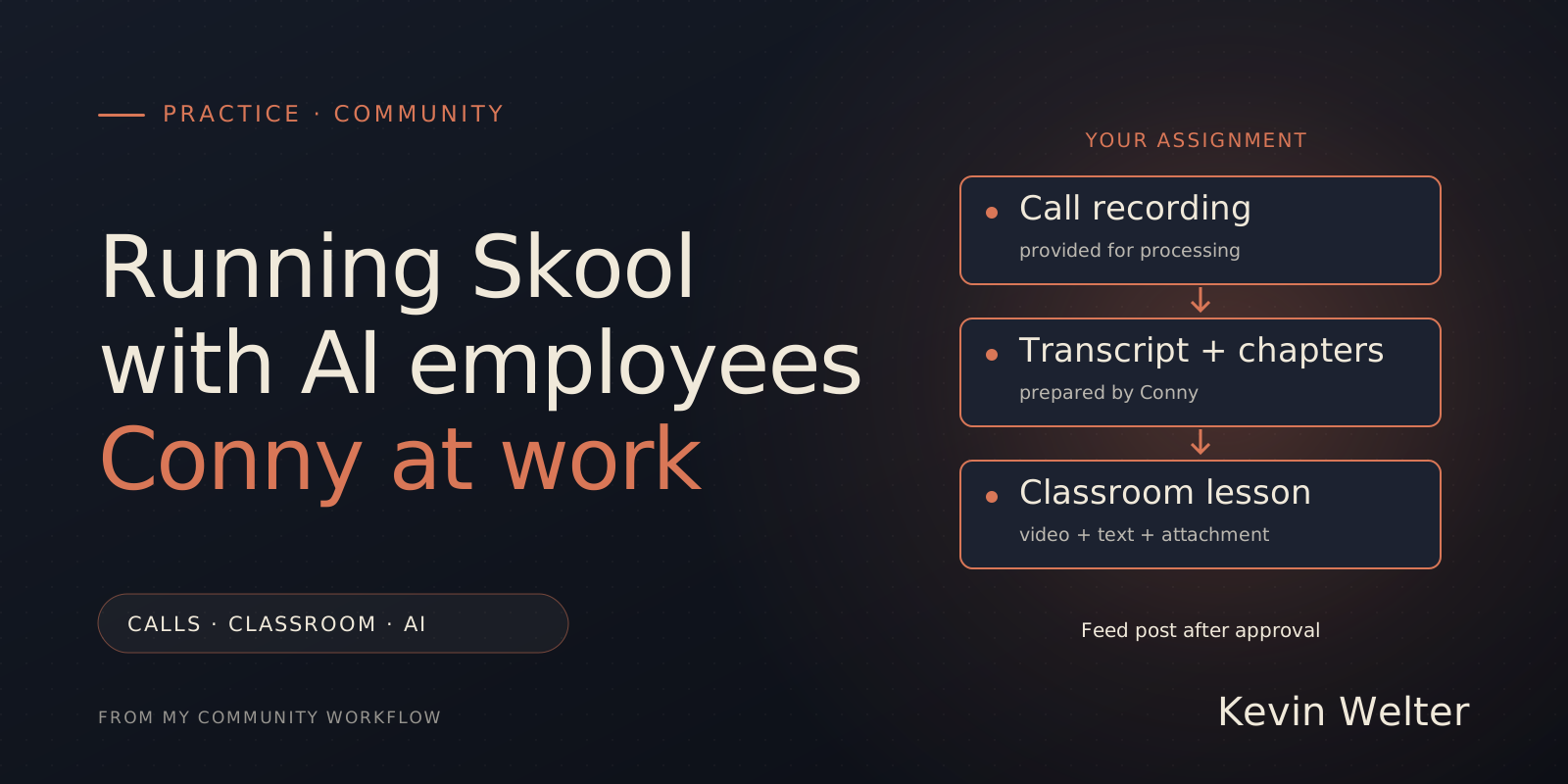
Running a Skool community with AI means giving my AI employees a defined job and letting them handle the recurring work. Conny transcribes recordings I have provided, writes lesson descriptions and chapter timestamps, and uploads videos and transcripts to the classroom. She can also reorganize courses and put download packages in the right place. She prepares the announcement for the feed; publishing that post requires my approval. I remain the host and make the decisions about the content and the offer.
The examples here come from my German-language community, Claude Practitioners. Conny is my AI editor-in-chief, with her own responsibilities and working rules. Two jobs from October 2026 show the division of work. For the wider picture and the other Skool topics, see Community Management with AI Employees.
What Conny handles in my Skool community
After a call, several pieces need to fit together: the recording, a clear title, a summary, useful timestamps and the complete transcript. Members need to find the recording in a sensible place and jump to the parts they need.
Conny handles that combination. She matches the files to the right event, checks whether the recording is already there, corrects recognizable transcription errors and prepares the page. She then puts the material in the intended classroom. A course-maintenance assignment can also cover existing lessons and attachments.
This is a workflow configured for my business. Downloading an employee template does not by itself connect someone else's Skool account or set up an upload integration.
Two recordings on October 29: what was delivered
On October 29, 2026, I had an implementation call and a coffee call processed. The Skool recordings were 13 minutes 27 seconds and 38 minutes 6 seconds long. I had started recording the implementation call late. An additional phone recording, with only my voice audible, was available. Selecting the material therefore needed care: which file belonged in the lesson, and which material only supplemented my notes?
Conny first checked whether either call had already been saved in Notion or Skool. Speech recognition then ran locally with Whisper. The transcripts were read and recognizable technical-term errors corrected. A typical example is "Cloud" where the conversation actually referred to "Claude". Unclear passages stay identifiable as unclear.
The job produced two Notion pages and two published Skool lessons. The implementation call received 23 chapter timestamps; the coffee call received 44. Each lesson contained its corresponding video and the full transcript as a TXT attachment. The classroom content and the Notion archive were complete.
The feed announcement was still a separate draft at that point. It was published after my explicit instruction to post it that evening. Permission to archive a recording and permission to publish a new feed post are separate steps in my workflow.
The practical benefit is that I can assign the intended result as a whole. Conny knows that result and handles the preparation and archive within the assignment. When something needs clarification, she brings it back to me.
Maintaining existing classrooms and downloads
A second example concerns the employee packages in my community. Download ZIPs were attached in different places within the courses. A new member who wanted to download and set up an employee had to work out where to look.
On October 26, 2026, I asked Conny to review the structure and bring the downloads to the beginning. Existing ZIPs were also attached to the appropriate opening lesson. The text there explains which package to download and which setup lesson follows. The original attachments were kept.
Conny then read back the changed lessons: title, text, status and attachment order. The checks also covered availability and file format for selected downloads. Clearer folder labels and course descriptions were part of the same assignment.
That is part of running the classroom. An AI employee can build and maintain the learning environment under a defined assignment, including the files. The useful test is simple: can a new member find the package and understand what to do next?
For the individual classroom functions, Skool Classroom: Courses from Call Recordings covers pages, video, attachments and course access. It is the platform guide that complements this account of day-to-day operations.
The employees working alongside Conny
Conny handled the recordings in this example. Other assignments go to the roles described in My AI Workforce: Fourteen Employees, One Boss.
Susi handles advertising and its analysis. Gustav works on knowledge from conversations and recurring questions. Eddi handles video excerpts and reel editing. A recording can provide material for a classroom lesson, a knowledge collection and suitable video excerpts. Each assignment has its own intended result and approval.
The call assignment also shows a practical limit: the recording has to exist. My employees cannot retrieve a part of a conversation that I did not record. A published classroom lesson also does not authorize reusing its statements in a public post.
How the upload works in this setup
For my recordings, Conny uses a custom upload workflow in my Skool account, combining browser interaction with internal requests. A separate technical integration was used for the structure and download maintenance. These are arrangements set up for my own business.
Skool's official Zapier integration documents other tasks, such as inviting members and unlocking courses. It does not document an action for uploading finished lessons. My workflow is therefore not an official Skool upload API or a feature automatically included with a Skool subscription.
Skool's Platform Policy prohibits automation requests and certain bot activity; violations can result in account suspension. I use my custom setup knowingly and at my own risk. You can use the same editorial workflow and handle the upload yourself. Skool API and Automation: What Works gives the fuller distinction. Official sources checked on October 31, 2026.
A useful first assignment
Start with one existing recording and describe the result you want. For example: a lesson in a specified course, with video, a short introduction, timestamps, a full transcript and a separately prepared announcement. Also define which material needs to be discussed with you before further use.
The employee needs to know when the task is complete. "Take care of my community" leaves many decisions open. A concrete deliverable can be worked through and checked afterward.
For me, reviewing private details and personal statements remains important. Local speech recognition also means only that this processing step runs locally. In my workflow, the prepared text is subsequently processed with Claude and stored in Notion or Skool. Transcribing Calls: What German Law Says discusses questions around working with recordings.
Frequently asked questions
Can Conny populate a Skool classroom herself?
Yes. In my configured workflow, she creates lessons and uploads videos and transcripts. Both lessons from October 29, 2026, were published after the assignment. Which changes may go directly live belongs in the assignment itself.
Can she organize entire courses and downloads?
Yes. Documented assignments include course creation and changes to structure, descriptions and attachments. During the October 26 download maintenance, existing packages were also placed at the beginning of the appropriate courses and checked afterward.
Does transcription start automatically after every call?
In the workflow described here, I provide the recording and issue the assignment. Conny then works through the agreed steps. This example does not describe a recording and import service that starts itself.
Can Conny publish community posts too?
She can publish a prepared post after my explicit approval. On October 29, the announcement was first prepared as a draft and posted after approval. Writing Skool Posts with AI, with Approval covers the writing side.
Do I need my own Skool community?
For this operator workflow, you need a community and the relevant administration rights. If you are still choosing the platform, start with Skool: What It Is and How It Works and How to Start a Skool Community.
Your next step
For the employee templates and practical guidance, visit my English-language community. To start your own setup, you can create your own Skool community*. Configuring the employees, integrations and approvals is a separate step.
* Affiliate link: if you create your own Skool community through the marked link, I receive a commission. The price you pay does not change.