Yogurt is a free, open-source app that records your calls, transcribes them live and summarizes them afterwards, without a bot joining the meeting. It records your microphone and the sound playing on your computer, and it runs transcription and summaries with local models on your own computer. You don't need an account. Yogurt runs on a Mac with Apple silicon and macOS 14.4 or later, on Windows 10 (version 2004) or later and on Linux, each with at least 8 GB of memory. English only is the default; for calls in other languages you switch the spoken language to Multi-language. Through a local MCP server, Claude Code can read your notes and answer questions about your meetings. All details according to the project's README, as of November 19, 2026, current version 0.3.50.
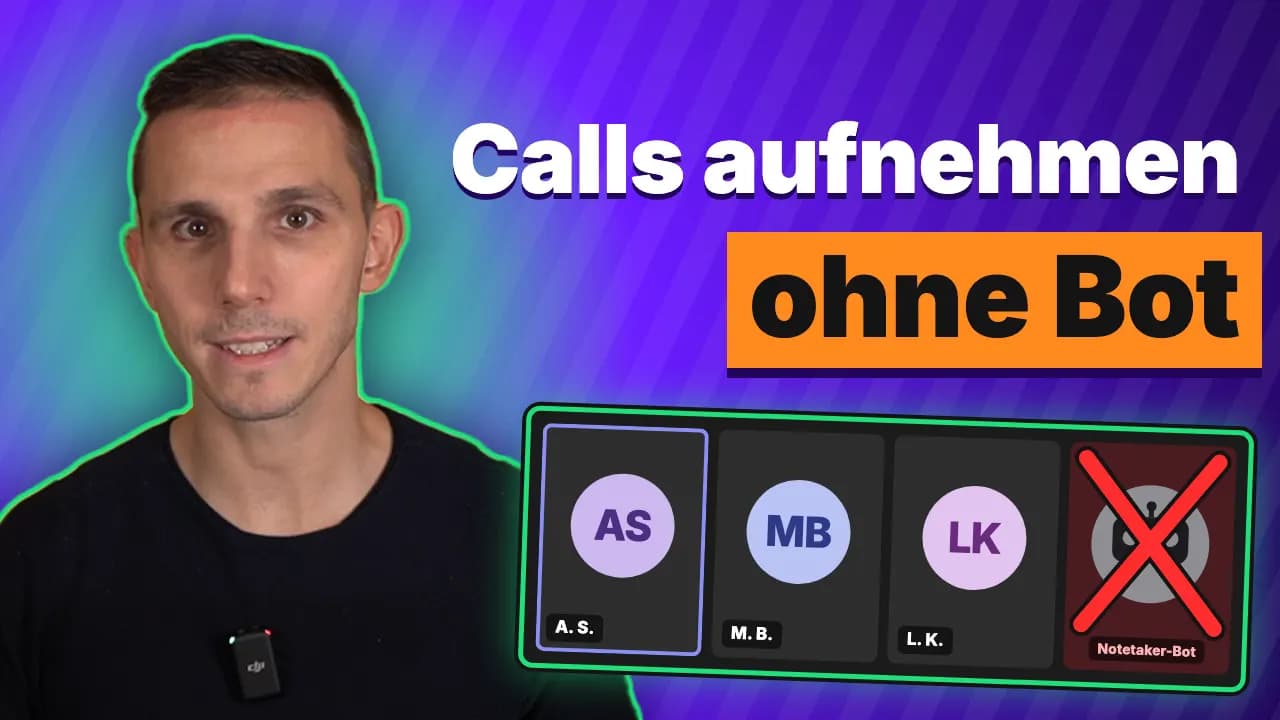
I set up Yogurt on my Mac with Claude Code. In the video, which is in German with German subtitles, I show the whole setup, the prompt for it and what I do with the transcripts afterwards.
What Yogurt does
According to its developers at Frigade, Yogurt is a free, open-source alternative to Granola. This is what the app does according to its README:
- Live transcripts: Yogurt types along while you talk.
- Summaries: After the call, Yogurt writes up the conversation and the notes you added.
- Who said what: In Zoom, Teams and Meet, Yogurt names the speakers. On a Mac this needs Accessibility permission, and the call app has to show who is speaking.
- 99 languages: In Multi-language mode each side of the call can speak its own language, even if someone switches mid-meeting.
- Recording reminders: When a call starts in Zoom, Teams or Meet, Yogurt offers to record. Recording starts only when you choose to.
- Answers with sources: Yogurt answers questions across meetings and links to the source.
- Folders, search, export: You find meetings by folder, title, notes or transcript, and you save notes and transcripts as Markdown.
- Local MCP server: When you turn it on, apps on your computer can read your notes, transcripts, saved audio and calendar details, Claude Code for example.
You can record calls in any app, because Yogurt captures your microphone and system audio. Call detection covers Zoom, Teams and Meet.
What you need
If your computer is too slow, Yogurt tells you during setup, according to the README. Meeting data stays local; Yogurt goes online for model downloads and update checks. If you want to analyze the transcripts with Claude Code, you need a paid Claude plan.
Set up Yogurt with Claude Code
The easiest way is to let Claude Code walk you through the setup. On a Mac it goes like this:
- Paste a prompt: Ask Claude Code to check whether your computer meets the requirements from the README, to download the right installer from the latest release on github.com/FrigadeHQ/yogurt, and to ask you before every command it runs.
- Install and allow access: Drag Yogurt into Applications and open it. On first launch it asks for the microphone and for screen and system audio recording. It needs both to hear both sides of the conversation. Calendar and notes access are optional. Then Yogurt downloads its models.
- Set the language: For calls that aren't in English, go to Settings → Language → Spoken language and pick Multi-language. English only is the default.
- Test recording: Start a short recording. Afterwards you'll find the transcript and the summary in Yogurt.
- Give Claude Code access: In Yogurt, go to Settings → AI apps, turn on access, copy the helper command and paste it into Claude Code. Claude adds Yogurt as a local MCP server and shows you the command first. Then start a new Claude Code session in the same folder where you pasted the prompt.
Plan for about 20 minutes. How much Yogurt downloads depends on your computer, according to the README.
Analyze transcripts with Claude Code
Yogurt has already written the summary. It gets interesting when you ask Claude questions about your meetings, for example:
- “What did we agree on in the last call? List the commitments with who, what and by when.”
- “Give me feedback on my sales call: what went well, what didn't, what should I do better next time?”
Through the MCP server Claude can read your meetings, notes and transcripts, according to the README also saved audio and each meeting's calendar details with the attendees' names and email addresses. Claude can't change any of it, access is read-only according to the README.
Privacy: what stays local and what doesn't
- Local: Audio, transcripts and AI processing stay on your computer according to the README. The models run through whisper.cpp and llama.cpp, on supported Macs also Apple SpeechAnalyzer.
- Audio is saved: By default Yogurt also saves the audio. You can turn this off in Settings for future meetings.
- Claude reads along: What Claude Code reads from your notes goes to Claude, so it leaves your computer. If you don't want that for a call, leave access off or use an open model. Yogurt can also answer questions about your meetings itself.
- Access applies to every app: While access under AI apps is on, any app running under your user account can read your notes, not just Claude. There's no per-app token, according to the README.
- Ask first: Since no bot sits in the call, the others don't know by themselves that you're recording. Ask them before you record.
What German law says about recording is covered in Transcribing Calls: What German Law Says.
Frequently asked questions
Is Yogurt free?
Yes. According to the README, Yogurt is free and open source under the MIT license, and you don't need an account. Costs only come in if you analyze the transcripts with a paid service like Claude.
Does Yogurt join my meetings?
No. Yogurt records your microphone and the sound playing on your computer. No bot joins the call.
Which languages does Yogurt support?
English only is the default. Pick Multi-language under Settings → Language → Spoken language to transcribe 99 languages.
Does Yogurt work offline?
Yes. After a one-time download of the models, transcription and summaries run on your computer according to the README. Yogurt goes online for model downloads and update checks.
Does Yogurt run on Windows?
Yes, on Windows 10 (version 2004) or later, 64-bit. On Windows and Linux you connect your calendar with a private calendar link.
Where to go from here
Start with a short test call before you record a real client conversation, and check whether the transcript is clean. Only turn on access for Claude once you know which meetings you want to analyze. Other tools for meeting minutes are covered in Automatic Meeting Minutes with AI, and transcription programs are compared in Transcription Software Compared. How MCP servers work in Claude in general is explained in Set Up a Claude MCP Server.
Your first AI employee up and running within an hour
Join the community$5/month founding price, first 50 members